

Run an ingest#
Run your extractor from the Web UI, the Python client, or the REST API. The extractor always runs its active image. If a run fails, its container’s logs are in a workspace logs dataset on the Data sources page (see Logs).
Web UI#
The upload wizard supports file extractors, which let you process and transform data during upload using custom extraction pipelines. File extractors are useful when your data requires preprocessing, format conversion, or custom parsing before ingestion.
Note
Your workspace administrator must register an extractor before it appears as an option in the upload wizard.
To use a file extractor during upload, do the following:
Click the + button in the sidebar, then Upload data, to start the upload wizard.
Select your destination (asset or standalone dataset).
On the File extraction card, click SELECT.
Choose your extractor from the available list.
Configure extractor-specific options if prompted.
Upload your raw files. The extractor processes them automatically.
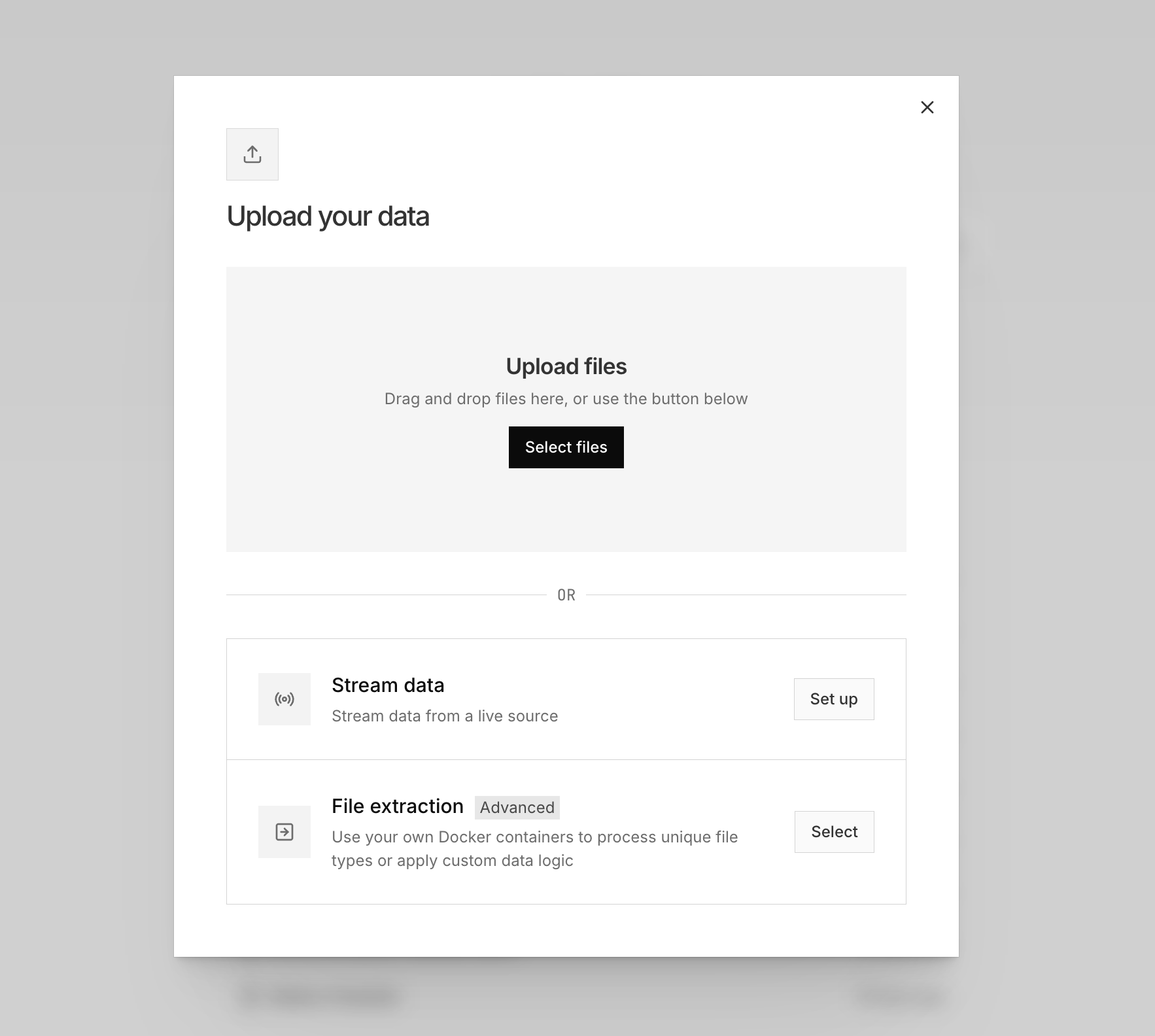
If the wizard doesn’t recognize a file’s extension, it prompts you to process the file with a file extractor instead.
Python#
Dataset.add_containerized() runs the extractor’s active image against a dataset:
from nominal.core import NominalClient

client = NominalClient.from_profile("default")

extractor = client.get_containerized_extractor("<EXTRACTOR_RID>")
dataset = client.get_dataset("<DATASET_RID>")

job = dataset.add_containerized(
    extractor,
    sources={"INPUT_FILE": "path/to/data.bin"},   # keyed by the input's environment variable
    arguments={"MODE": "fast"},                   # parameter values, as strings
    tags={"vehicle_id": "sn-001"},
)

for dataset_file in job.as_files_ingested():      # blocks until each output finishes
    print(f"ingested {dataset_file.name}")
The sources keys are the input environment variables you registered, and they must match the active image’s inputs exactly. A missing required input raises before anything uploads. arguments supplies the image’s declared parameters, and tags applies to every channel the extractor emits (see Tags).
Passing timestamp_column and timestamp_type overrides the image’s registered default for this ingest, applied uniformly to every output file. Both must be given together.
A containerized extraction is asynchronous and may produce many files, so it returns an ingestion job rather than a single file. as_files_ingested() waits out both stages, the container producing its outputs and then each output ingesting, and re-reads the job’s file list as it goes. That matters for a manifest extractor: none of its outputs are registered until the container exits, so a list read at trigger time is empty. Use job.refresh() then job.status to poll the job itself (status is a snapshot; refreshing is what advances it), job.dataset_files() for a point-in-time list of what it has produced so far, and job.cancel() to stop it.
REST API#
For clients that cannot use Python. Execute your extractor (REST API reference):
curl -X POST ${API_SERVER}/api/ingest/v1/ingest -H "Authorization: Bearer <token>" -H "Content-Type: application/json" -d '{
   "options": {
     "type": "containerized",
     "containerized": {
       "sources": {
         "INPUT_FILE": {
           "type": "s3",
           "s3": {
             "path": "s3://nominal-bucket/data.csv"
           }
         }
       },
       "extractorRid": "your_extractor_rid",
       "target": {
         "type": "new",
         "new": {
           "properties": {
             "source": "vehicle"
           },
           "labels": ["production"],
           "datasetName": "processed_data"
         }
       }
     }
   }
 }'
Key request fields#
sources: Maps input files to the environment variables defined in your extractor registration. You must provide a source for each required input. The keys correspond to the environmentVariable names from your extractor’s inputs configuration.
extractorRid: The resource identifier (RID) of the extractor you want to run.
timestampMetadata: Optional override of the extractor’s default timestamp metadata for this ingest. If the active image declares no default, this field is required and the request fails without it.