

Rust client#
The nominal crate lets Rust programs upload files and stream data to Nominal, and organize that data into assets and runs. It needs Rust 1.85 or later.
This quickstart uploads a CSV file to a new dataset and prints a link to the dataset in Nominal.
1. Install#
Create a project, and add nominal with tokio to run its async calls:
cargo new nominal-quickstart
cd nominal-quickstart
cargo add nominal
cargo add tokio --features full
2. Set up your API key#
Follow API Keys Setup to generate a profile for your default workspace and then create a second profile, sandbox, for your sandbox workspace. The code below is written against sandbox, but it can be changed to use any profile.
3. Upload a file#
Download sample.csv, a minute of test data, into the nominal-quickstart folder.
Replace src/main.rs with:
use nominal::core::{CsvIngest, DatasetCreate, Timestamp};

#[tokio::main]
async fn main() -> nominal::Result<()> {
    // Connect with the API key that API Keys Setup saved
    let client = nominal::NominalClient::from_profile("sandbox")?;

    // Create a dataset, and upload the file into it
    let dataset = client.catalog().create_dataset(DatasetCreate::new("Quickstart")).await?;
    let csv = CsvIngest::new(Timestamp::iso8601("timestamp")); // ISO 8601 times in the "timestamp" column
    let (job, _) = client.ingest().upload_csv("sample.csv", dataset.rid(), csv).await?;

    // Wait for Nominal to finish ingesting the file
    client.ingest().wait_for_ingest_job(job.rid()).await?;

    // Print the link to the dataset in Nominal
    println!("{}", dataset.nominal_url());
    Ok(())
}
Run it with cargo run.
4. See the data#
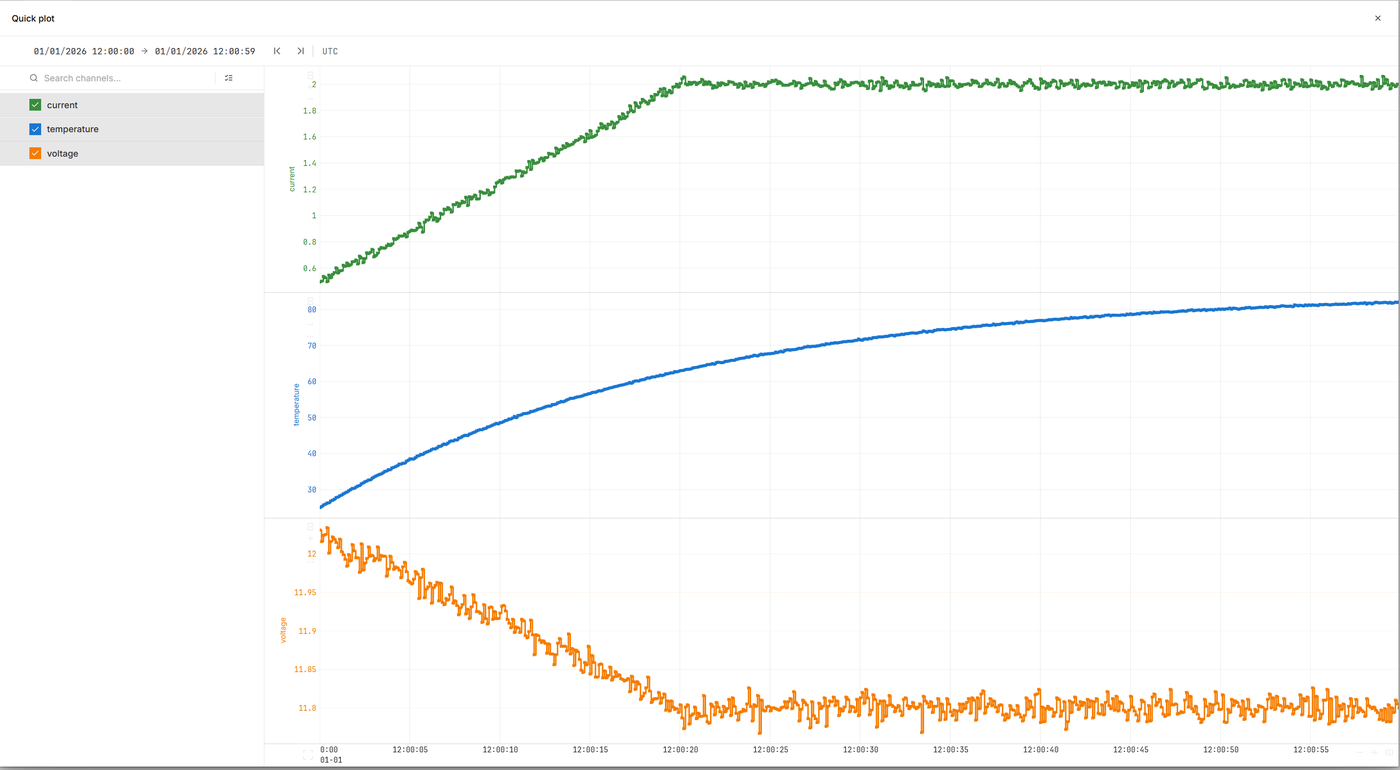
Open the printed link to view your dataset. You can then click QUICK PLOT to view the data.
Next#
Organize data in assets and runs, upload each file type, stream, and run checklists.
The Rust API and the nomctl commands.