


 instro
Flow Controller#
Using InstroFlowController for gas flow controllers
Warning
This Instrument category is new and is currently available only in the Unstable package
InstroFlowController provides a unified interface for gas flow controllers. This class is initialized with a vendor-specific driver (AlicatMC, …), and provides the vendor-agnostic API (get_flow_data, set_setpoint, select_gas, tare_flow, …).
Creating an InstroFlowController#
from instro.unstable.flowcontroller.drivers import AlicatMC
from instro.unstable.flowcontroller import InstroFlowController

fc = InstroFlowController(
    name="myFlowController",
    driver=AlicatMC("ASRL7::INSTR"),
)
A bare resource string applies the Alicat RS-232 defaults (19200 baud, carriage-return terminators). Pass a VisaConfig from instro.lib.transports.visa instead to override them, and device_id to address a unit other than "A".
Supported Vendors#
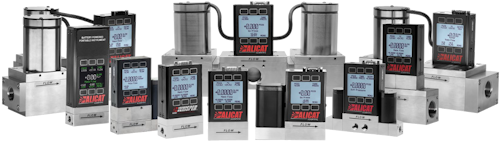
If your vendor or model is not listed, see Custom Driver Development, or open a Driver Request issue on GitHub.
Example#
More examples found in Examples
Details#
The following presents details about the InstroFlowController. Specific driver details can be found on their pages.
Driver Composition#
An InstroFlowController is built from a concrete driver:
InstroFlowController(name="FlowController", driver=AlicatMC("ASRL7::INSTR"))
The vendor driver (e.g.
AlicatMC) owns the connection setup and vendor-specific command mapping.InstroFlowControllerowns the category-level workflow: measurements, commands, publishers, the background daemon.
Lifecycle#
The typical InstroFlowController workflow:
Construct: instantiate the vendor driver and pass it to
InstroFlowController.open(): establishes the VISA connection.Configure and measure: select gas, set flow setpoint, tare flow (optional), and read flow data.
start(): begins a periodic background daemon. (Optional) By default this callsget_flow_dataperiodically.stop(): ends the background daemon (if started).close(): disconnects from hardware.
Custom Driver Development#
For more information on writing a custom driver, see Custom Driver Development.