

An Example Session#
This guides walks through how to use an agent along side the Nominal App.
If you haven’t connected yet, start with Connecting Your Agent.
1. Point your agent at a workbook#
This walkthrough uses a synthetic shaker test with accel_z_g and dut_temp_c channels. Use the channel names from your own test.
Create a workbook for your run in Nominal, or open an existing one. Name it in your request, or paste its link. Ask what’s there before changing anything:
What can I plot in the S7 sine sweep workbook? Keep it brief.
Your agent lists the tabs and the channels it can plot.
2. Plot two channels#
Ask for a new tab with both signals on their own axes.
In the S7 sine sweep workbook, add a Test review tab
that plots accel_z_g and dut_temp_c on separate y axes,
with units in the axis labels.
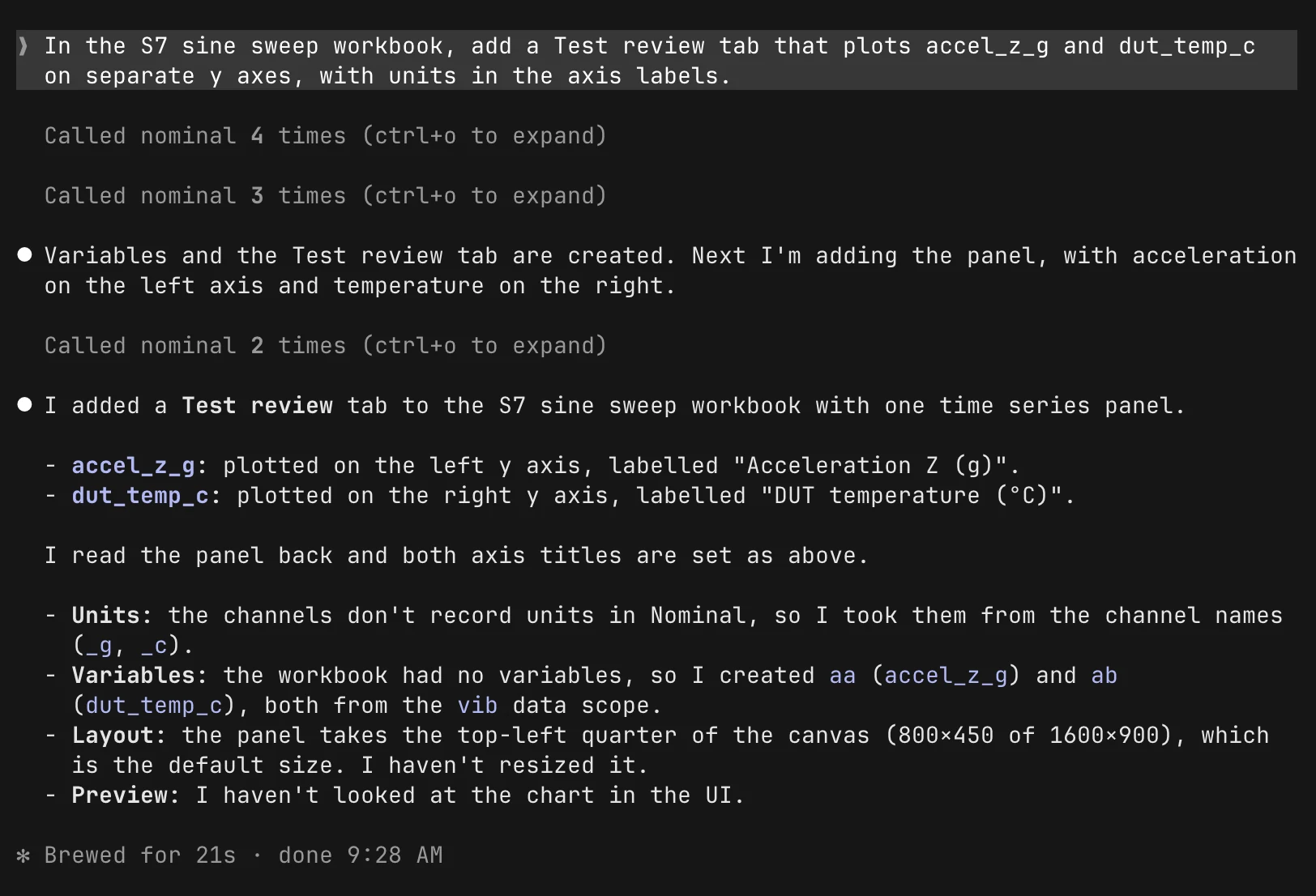
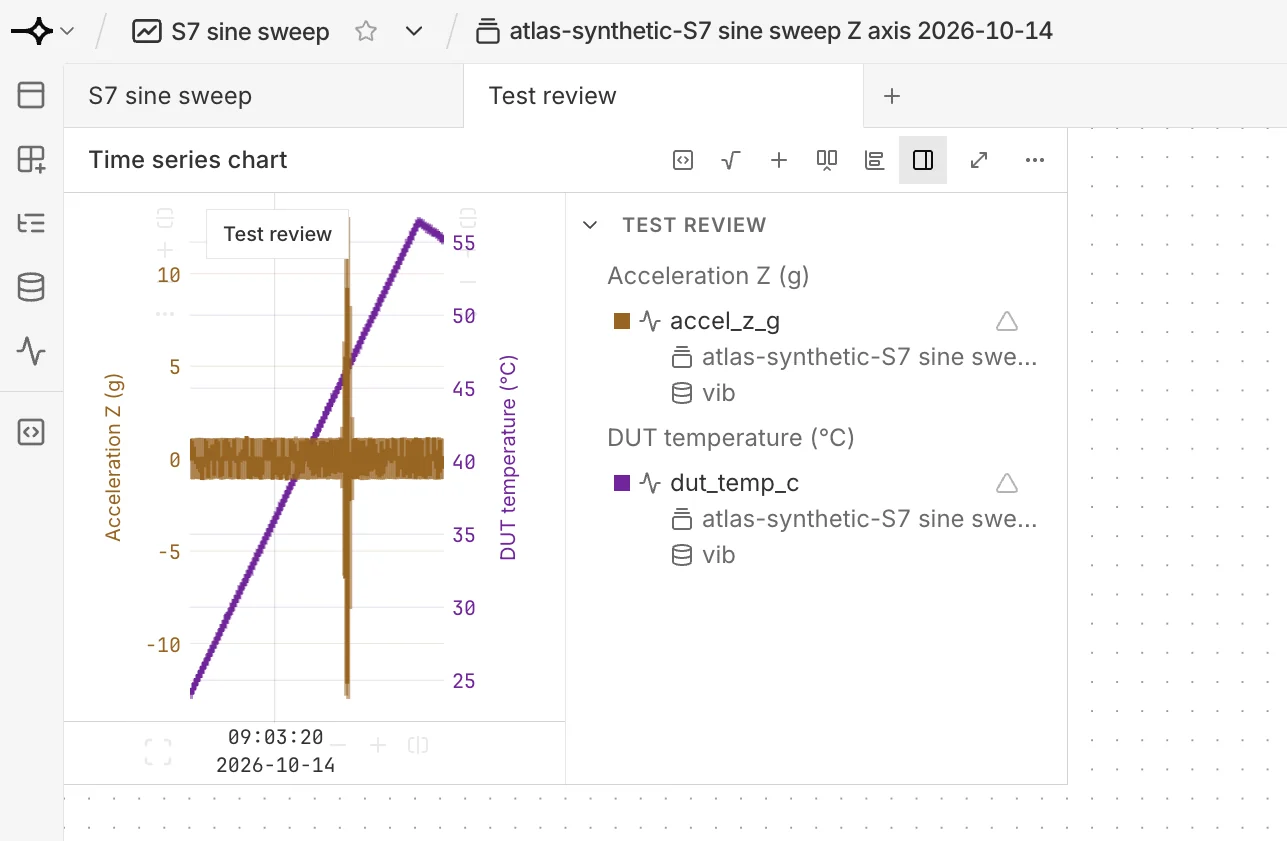
Your agent creates a variable for each channel, adds the tab and a time-series panel, and sets the axis labels. Open Test review and check the channels, units, and time range against your test.
3. Derive a signal#
Build on the same tab. Here, the temperature is converted to Fahrenheit and given its own full-width panel.
Add a variable temp_f that converts dut_temp_c to Fahrenheit.
Plot it on a new panel below the first one, and make both
panels span the full width of the tab.
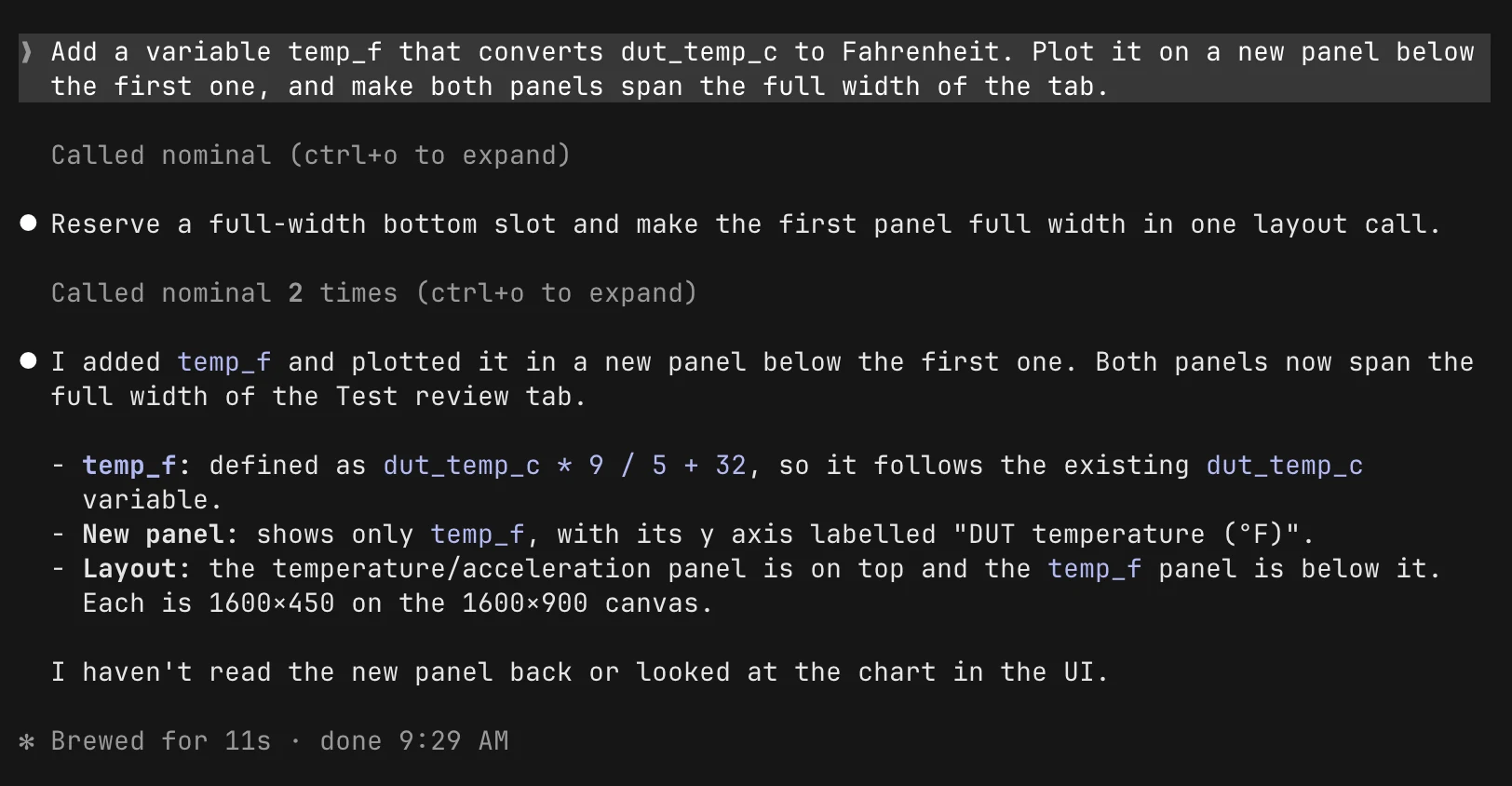
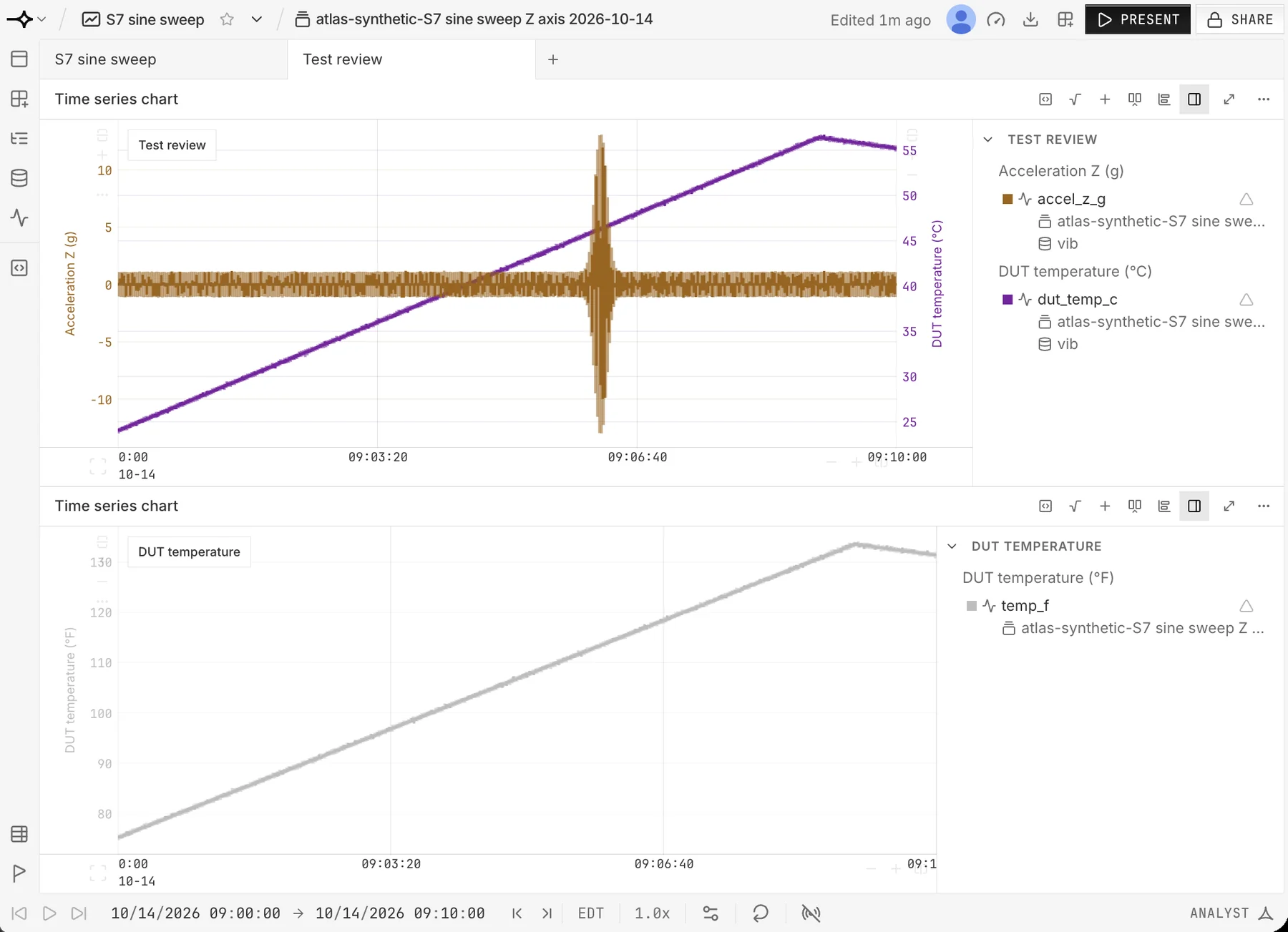
temp_f = dut_temp_c * 9 / 5 + 32The variable is saved in the workbook, so your team sees it too. Check its definition in Nominal before you rely on it for a test decision.
Keep going#
Each of these builds on the same workbook.
Compare runs
Add the runs to your workbook as inputs, then ask:
Align these runs to their start times and overlay accel_z_g.
Give each run a distinct color.
Check the run selection and alignment in Nominal.
Add context for your team
Add a markdown panel to Test review with the purpose of this view,
the channels shown, and their units. Leave a section for test notes.
Review the text before you share the workbook.
Tidy a busy workbook
Rename the Test review tab to Vibration review.
Put the acceleration panel first, then temperature, then notes.
Keep the other tabs and panels.
Stuck? See Troubleshooting.