

Quick start with your own demo#
Describe your hardware and how you test it to your agent, then ask it to generate matching sample data and build a demo in Nominal with it.
1. Prerequisite: Connect your agent and obtain an API key#
Follow Connect Your Agent to connect your agent to the Nominal MCP. Your agent uploads the sample data with the Python client, so also install it and set up a profile. The instructions provided assume a workspace called sandbox and a profile called sandbox, but any workspace may be used. Sandbox is recommended to avoid other users accidentally consuming demo data.
2. Tell your agent what’s coming#
Start by telling your agent what you’re about to do, so it waits for the whole description instead of acting on your first message:
Over the next few messages I'll describe my hardware and how I test it, so you can help me build a Nominal demo which aligns with my usage. Don't plan, write code or create anything yet. Ask me if something is unclear, but prefer making a demonstratable assumption over asking for a large amount of detail. Interpret terms using context from the user, not the MCP. Do not make up instructions. Wait until I give you instructions to plan.
3. Describe your application and how you test#
Tell your agent what you test and measure, such as sensors, their units and sample rates, and how many of each.
For example:
I test small turbine engines on a stand. Each engine has 12 RTDs on the compressor and exhaust, in °C at 10 Hz, plus shaft speed in rpm at 100 Hz and fuel flow in kg/h at 10 Hz.
For aircraft flight controls, you might describe the LVDTs and RVDTs on each actuator instead. For other vehicles, you might provide a subset of the CAN signals you log and their rates.
Once your agent has processed this information, tell your agent roughly how your tests run and how your team reviews the data. Cover how many units you test, how long each test lasts, what changes between tests, and who looks at the results and when. If one of the stories in Organize and view your data matches how you test, name it or give your agent a link to the page.
For example:
We run each engine through the same 20-minute acceptance profile, several times over a week. After each run, an engineer checks the exhaust temperatures against their limits. I want to see alerts if any temperature goes outside of normal range and warnings when temperature exceeds safety limits, but need help identifying what the normal range is.
4. Have your agent design the demo#
Paste this instruction into your agent in its entirety:
Design a Nominal demo for the application and testing I described, in my sandbox workspace.

1. Read https://dev.nominal.io/llms.txt, then the data model pages it lists under Platform, starting with https://dev.nominal.io/platform/data-model/paradigms.md. These documents serve as a reference to guide the design.
2. Pick the data organization approaches and the stories that match how I test and how my team reviews data and use this to guide how the data is organized.
3. Write a description of your design with exactly:
   - the assets, datasets and runs to create, with their names, properties and labels. Label the assets and runs "demo".
   - the channels for each dataset: name, unit, sample rate, and a realistic signal, with a few anomalies worth finding
   - the workbooks to build, tab by tab, and what each one shows
   - the checklists to build, with each check's condition and limits
4. Show me a short summary of the design, and wait for my review before you create anything.
Review the design, and ask for changes until it matches what you want to see.
5. Build the demo#
The demo will be built in two steps. Producing appropriate data is easiest for your agent using your local python install. Producing metadata, workbooks, and checklists is easier for Nominal Analyst, if you have it.
Generate sample data#
Have your agent generate the data and upload it. The below command uses the sandbox profile but any may be used by adjusting the prompt.
Generate the data in the plan and upload it to my sandbox workspace with the Nominal Python client.
Give me instructions to create a sandbox profile if one is not present.
Create the assets, datasets and runs as https://dev.nominal.io/quickstart/quick.md shows.
When you're done, write to disk a self-contained LLM prompt which describes next steps and lists what you created, with links and RIDs. Print both the file path and the content to this chat window.
Generate workbooks, checklists, and metadata#
Next build the workbooks and checklists on that data.
With Analyst#
Analyst knows how Nominal’s workbooks are put together, so it builds them faster and with less prompting than an agent working through the MCP.
In Nominal, switch to your sandbox workspace.
Click Analyst at the bottom right of the window.
Review and paste the prompt from your agent, and ask Analyst to build the workbooks and checklists in the plan.
Analyst will automatically report newly-created items in the chat window.
With your agent#
If your organization does not have access to analyst, continue using the MCP:
Create the workbooks and checklists in the plan with the Nominal MCP, on the assets and runs you just created. Publish each checklist, execute it on the runs, and tell me which checks failed.
Finishing up#
Open the workbooks in Nominal and check them against the plan. The assets and runs have the demo label, so you can find them later. You can also ask your agent or Analyst to give you a tour of what it produced, explaining what each run does and how to use the checklists and events.
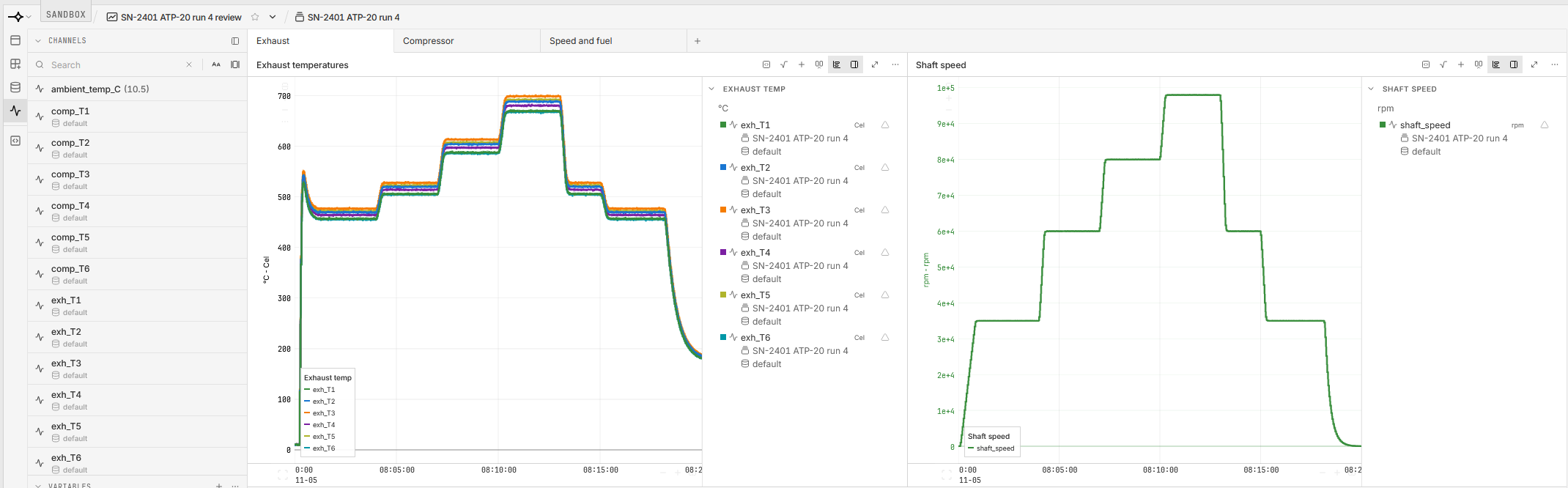
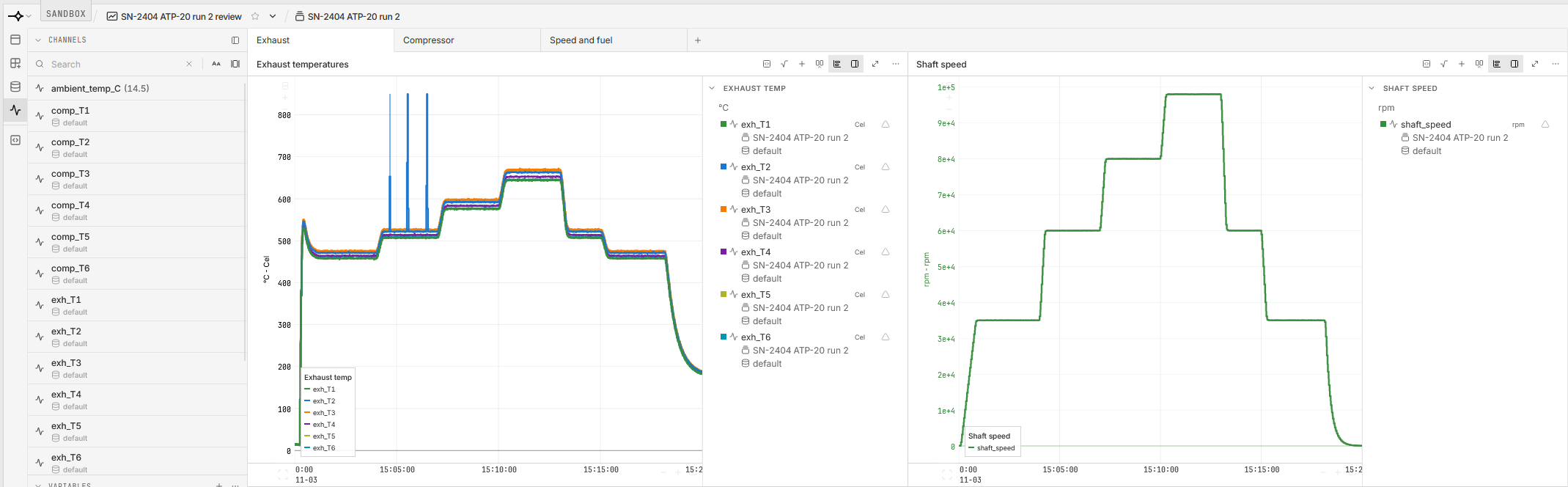
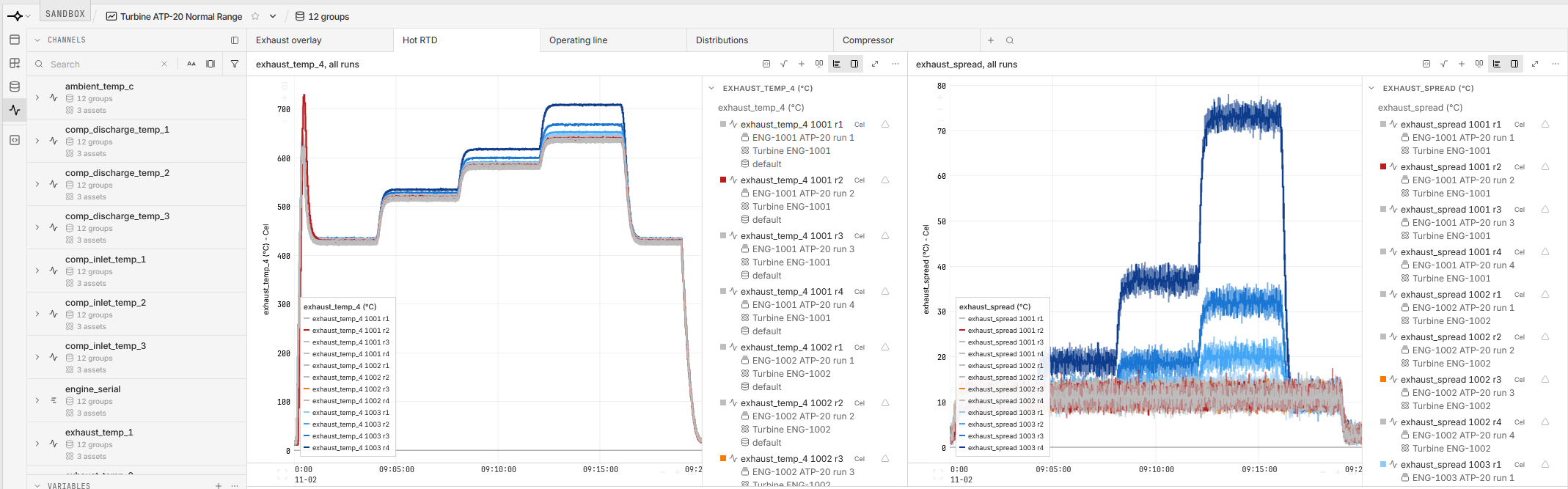
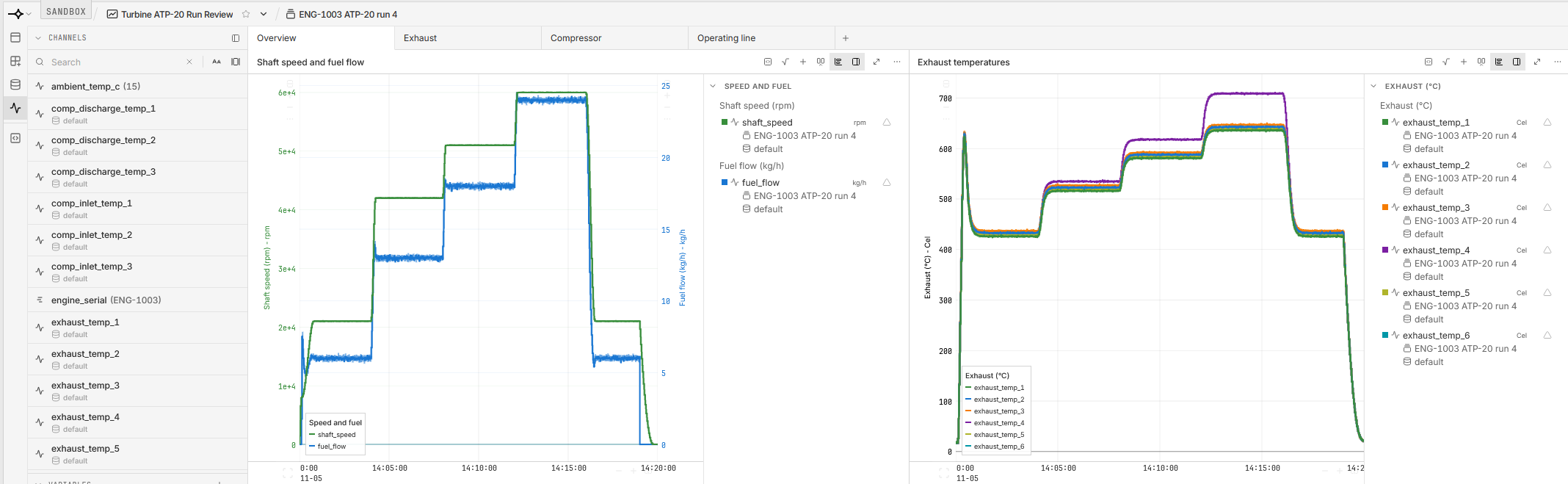
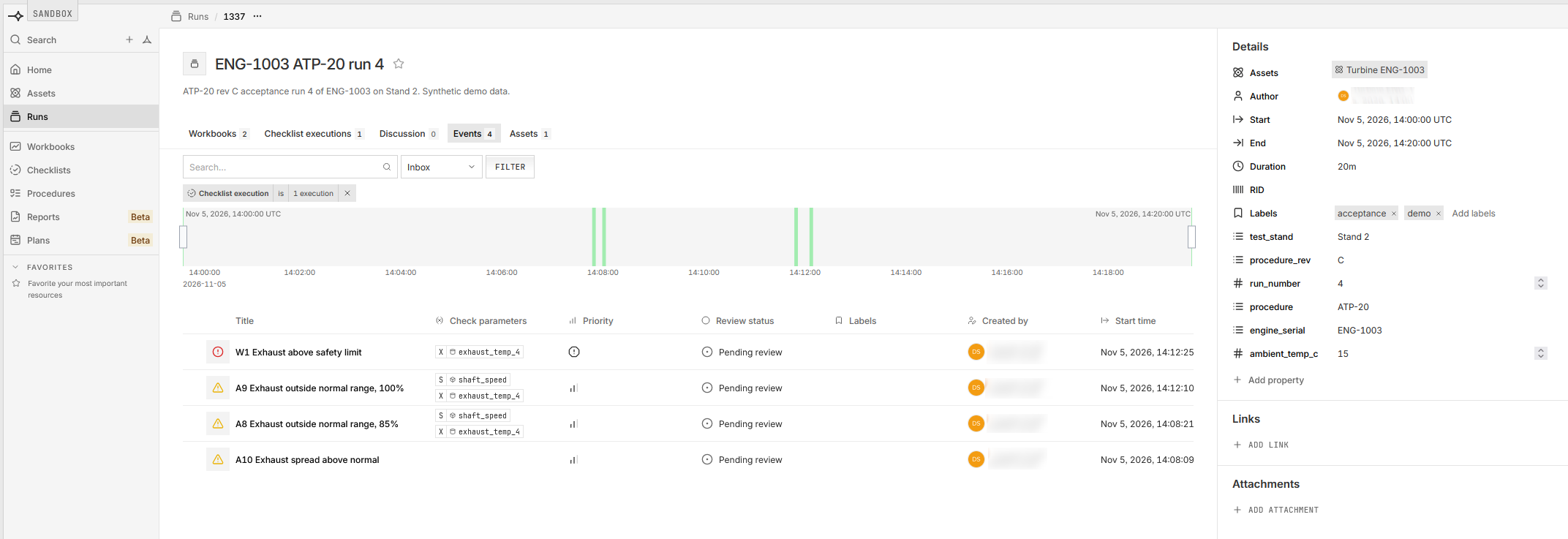
For the turbine engine example, the run review workbooks show each run’s exhaust temperatures against shaft speed, the normal range workbook overlays every run, and each run lists the events its checklist created:
Stuck? See Troubleshooting.