

Promoting an auto-created asset#
A run created straight from a dataset is on an auto-created asset. Promote it to a normal asset to give it a name and make it appear when you search assets.
In code#
from nominal.core import NominalClient

client = NominalClient.from_profile("default")
run = client.get_run("<ri.scout.instance.run.identifier>")

asset = run.list_assets()[0]  # a run created from a dataset has one asset
asset.promote()
asset.update(name="UUT1")  # until you rename it, it has the title of the run it was created for
In the Nominal app#
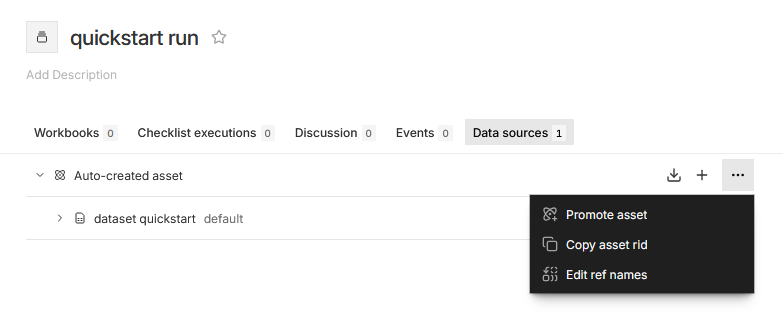
Open the run and click its Data sources tab.
Hover over the Auto-created asset row, click its ⋯ button, and choose Promote asset.
Enter an Asset name and click PROMOTE ASSET.